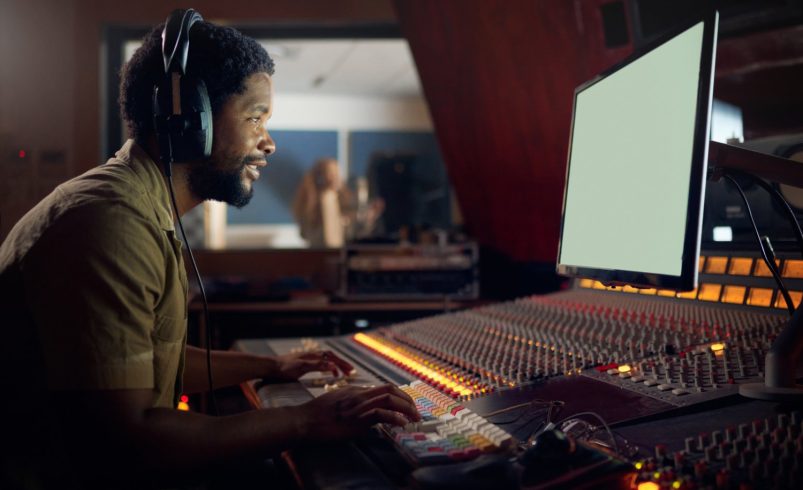
A well-balanced video isn’t just about stunning visuals or crisp dialogue—it’s about the seamless integration of all audio elements. For videographers in Chicago, understanding how to mix background music and dialogue is crucial for creating polished, professional content. Improper mixing can drown out dialogue, reduce emotional impact, or make your video feel amateurish.
This guide explores techniques, tools, and strategies to achieve perfect harmony between background music and dialogue in any video project.
1. Understand the Role of Music and Dialogue
Before mixing, it’s important to know the function of each element:
- Dialogue: Carries the narrative and conveys essential information. Clarity is paramount.
- Background Music: Enhances mood, emotion, and pacing without overpowering speech.
- Sound Effects: Add realism and immersion, but must complement—not compete with—the primary audio.
- Balance: Your goal is to maintain dialogue intelligibility while using music to enrich the viewer’s experience.
Understanding these roles informs every decision in the mixing process.
2. Choose Music That Complements Your Dialogue
Music selection directly impacts mix quality:
- Genre: Match the tone and pace of your video (e.g., ambient, orchestral, or electronic).
- Instrumentation: Avoid dense, mid-frequency heavy tracks that mask dialogue.
- Volume and Dynamics: Tracks with wide dynamic ranges may need compression to fit under dialogue.
- Looping and Editing: Ensure smooth loops for extended scenes or transitions.
Selecting compatible music simplifies mixing and ensures the dialogue remains clear.
3. Use Proper Audio Tracks and Layers
Organizing audio tracks is essential:
- Separate Tracks: Dialogue, music, and sound effects should be on distinct layers.
- Label Tracks: Clearly label each track for easier editing and automation.
- Track Routing: Route dialogue and music to separate channels if your software supports it.
- Backup Originals: Keep raw audio untouched in case you need to remix.
A structured workflow reduces errors and saves time during post-production.
4. Leveling Dialogue and Music
The most critical step is balancing audio levels:
- Dialogue Dominance: Dialogue should always be clear; use music to support, not compete.
- Volume Automation: Lower music volume during dialogue and raise it during silent moments.
- Meter Monitoring: Use dB meters to ensure dialogue peaks are well above music.
- Reference Tracks: Compare with professionally mixed videos to guide level adjustments.
Proper leveling guarantees that viewers understand dialogue without losing musical impact.
5. EQ for Clarity
Equalization helps separate music and dialogue frequencies:
- Dialogue EQ: Boost clarity in the 2–4 kHz range and reduce muddiness below 200 Hz.
- Music EQ: Cut overlapping frequencies in the dialogue range to prevent masking.
- Low-End Management: Reduce sub-bass in music tracks to avoid overpowering dialogue.
- High-End Adjustment: Preserve sparkle and brightness without creating harshness.
EQ ensures each audio element occupies its own space in the mix.
6. Compression and Dynamics
Dynamic control is key to professional audio:
- Dialogue Compression: Smooth out volume fluctuations to maintain consistent speech levels.
- Music Compression: Reduce extreme peaks to prevent masking dialogue.
- Sidechain Compression: Automatically lowers music when dialogue is present for seamless transitions.
- Threshold and Ratio: Adjust carefully to avoid unnatural pumping or flattening of sound.
Compression maintains clarity and consistency in your audio.
7. Panning and Spatial Placement
Spatial placement enhances listening experience:
- Dialogue Centering: Keep dialogue in the center channel for clarity.
- Music Width: Pan instruments subtly left and right to create space and immersion.
- Sound Effects: Place effects in stereo or surround channels for realism.
- Depth Perception: Use reverb and delay to position music and effects in the soundscape.
Strategic panning creates a polished, cinematic mix.
8. Timing and Ducking
Ducking ensures music doesn’t overpower dialogue:
- Manual Ducking: Reduce music volume at specific dialogue points manually in your timeline.
- Sidechain Ducking: Automatically lowers music when dialogue is detected.
- Fade Transitions: Smoothly fade music in and out to maintain natural flow.
- Timing Considerations: Align music changes with scene pacing for maximum emotional impact.
Ducking balances energy and clarity throughout the video.
9. Room Tone and Ambience
Ambient sounds connect music and dialogue naturally:
- Room Tone: Record ambient sound on set to blend dialogue seamlessly.
- Music Integration: Ensure background music complements existing environmental noise.
- Subtle Effects: Add natural soundscapes like birds, traffic, or crowds to fill gaps.
- Avoid Clutter: Keep ambient layers soft to prevent masking dialogue.
Ambient audio helps your mix feel organic and professional.
10. Using Reference Tracks
Reference tracks guide professional mixing:
- Benchmarking: Compare your project with similar high-quality videos.
- Level Matching: Ensure your dialogue-to-music ratio aligns with professional standards.
- EQ Reference: Analyze frequency balance to identify improvements in your mix.
- Dynamic Range: Observe compression and loudness strategies.
Using references helps maintain industry-standard quality.
11. Software Tools for Mixing
Modern DAWs and video editors provide robust mixing tools:
- Adobe Premiere Pro: Integrated audio mixer and keyframe automation.
- DaVinci Resolve Fairlight: Advanced audio editing and mastering capabilities.
- Audacity: Free option for EQ, compression, and ducking.
- Reaper or Pro Tools: Industry-standard DAWs for complex mixing projects.
Choosing the right software ensures precision and flexibility.
12. Monitoring with Headphones and Speakers
Accurate monitoring prevents mix issues:
- Closed-Back Headphones: Detect subtle audio issues and clipping.
- Studio Monitors: Confirm balanced levels in a neutral environment.
- Multiple Playback Systems: Test mix on laptops, phones, and TVs for consistency.
- Avoid Over-Loud Listening: Fatigue can skew perception of levels and balance.
Monitoring ensures your audio translates well across all playback systems.
13. Fading Music for Emotional Impact
Music fades influence storytelling:
- Crossfades: Smooth transitions between tracks without abrupt cuts.
- Dynamic Fades: Gradually reduce music under dialogue for emotional scenes.
- Scene Transitions: Use fades to signal changes in location, mood, or time.
- Silence as a Tool: Strategic silence enhances dramatic tension or focus.
Fading creates an emotionally engaging and cinematic experience.
14. Handling Multiple Dialogue Sources
Complex scenes require careful management:
- Multi-Mic Recording: Use separate tracks for each speaker.
- Level Matching: Balance different voice volumes using faders and compression.
- Noise Reduction: Apply EQ or filters to reduce background interference.
- Automated Ducking: Adjust music dynamically based on multiple dialogue sources.
Proper management ensures clarity even in group discussions or interviews.
15. Loudness Standards
Maintain consistent loudness across videos:
- LUFS Standards: Aim for -23 LUFS for broadcast or -16 LUFS for online content.
- Peak Levels: Keep peaks below 0 dBFS to prevent clipping.
- Normalization: Adjust all tracks for consistent listening levels.
- Compliance: Following standards prevents volume jumps and ensures professionalism.
Adhering to loudness guidelines improves audience experience.
16. Creative Mixing Techniques
Experiment to enhance storytelling:
- Music Highlights: Emphasize key emotional beats.
- Dialogue Echoes: Subtle echo effects for stylistic moments.
- Layered Soundscapes: Combine music, effects, and dialogue for immersive scenes.
- Automation Curves: Smooth dynamic changes instead of abrupt volume jumps.
Creative mixing elevates your videos from functional to cinematic.
17. Troubleshooting Common Issues
Avoid pitfalls in your mix:
- Dialogue Masked by Music: Lower music, adjust EQ, or use sidechain compression.
- Background Noise Interference: Apply noise reduction or re-record if necessary.
- Inconsistent Levels: Use automation and compression to smooth peaks.
- Phase Problems: Ensure proper polarity when using multiple microphones.
Troubleshooting ensures the final product is professional and polished.
18. Iterative Review Process
Mixing is an iterative process:
- Rough Mix First: Establish initial balance between dialogue and music.
- Refine Levels: Adjust based on scene context and emotional intent.
- Peer Review: Get feedback to detect issues your ears might miss.
- Final Pass: Double-check timing, fades, and overall cohesion.
Iteration improves quality and guarantees a professional final mix.
19. Exporting Mixed Audio
Proper export preserves your mix:
- High-Quality Formats: WAV or AIFF for master files; MP4 with AAC for delivery.
- Maintain Levels: Avoid further compression or normalization unless needed.
- Sync Verification: Ensure dialogue and music remain perfectly aligned with visuals.
- Multiple Versions: Consider separate music stems for future edits or localization.
Exporting correctly ensures your work translates to all platforms flawlessly.
20. Conclusion
Mixing background music and dialogue is both a technical and creative art. By understanding the roles of each audio element, using EQ, compression, automation, and monitoring, Chicago videographers can achieve professional, cinematic-quality audio.
Balancing dialogue clarity with emotional impact from music transforms your videos into immersive experiences. From careful track management to creative fades and dynamic adjustments, proper mixing enhances storytelling and leaves a lasting impression on viewers.