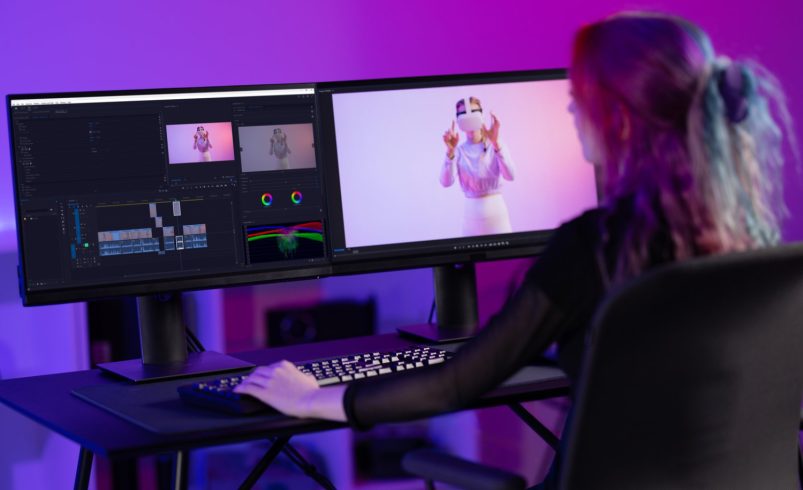
Color grading presets, also known as LUTs (Look-Up Tables), are powerful tools that allow videographers to quickly achieve professional and cinematic looks. They save time, maintain consistency across clips, and help convey specific moods and emotions. Whether you’re filming Chicago cityscapes, nature scenes, or indoor content, the right presets can instantly elevate your footage.
1. Cinematic Film LUTs
Purpose: Create a classic, film-like aesthetic with rich tones and contrast.
Tips:
- Apply after basic color correction.
- Adjust intensity to suit your scene.
- Combine with subtle exposure tweaks for natural results.
Example: A Chicago skyline timelapse gains a warm, cinematic tone that enhances sunset hues.
2. Moody LUTs
Purpose: Add drama, depth, and a slightly desaturated look to create tension or atmosphere.
Tips:
- Ideal for narrative scenes, urban exploration, or storytelling vlogs.
- Avoid overusing; keep key colors like skin tones natural.
Example: Filming a rainy day in Chicago’s streets with a moody LUT emphasizes reflections and shadows for a cinematic feel.
3. Vibrant LUTs
Purpose: Boost colors and saturation for energetic, lively visuals.
Tips:
- Best for travel videos, food vlogs, and outdoor events.
- Combine with minor contrast adjustments to avoid unnatural looks.
Example: A Chicago food tour comes alive with vibrant colors highlighting dishes, street art, and architecture.
4. Warm LUTs
Purpose: Enhance reds, oranges, and yellows to evoke warmth, comfort, or nostalgia.
Tips:
- Use in sunrise, sunset, or indoor lighting scenes.
- Balance with shadows to avoid overexposure.
Example: Golden-hour shots at Chicago’s lakefront feel inviting and cinematic with warm LUTs.
5. Cool LUTs
Purpose: Enhance blues and greens to create a calm, futuristic, or moody atmosphere.
Tips:
- Perfect for urban night scenes, water shots, or winter footage.
- Maintain a natural look for skin tones.
Example: A winter vlog at Chicago’s Millennium Park gains a crisp, cool tone that emphasizes the city’s atmosphere.
6. Black & White / Monochrome LUTs
Purpose: Strip color for a timeless, dramatic, or artistic look.
Tips:
- Focus on contrast, shadows, and highlights for depth.
- Combine with grain effects for a vintage or cinematic feel.
Example: A street photography video in Chicago’s Loop looks artistic and dramatic in black & white.
7. Custom LUTs
Purpose: Develop unique styles for brand consistency or personal aesthetics.
Tips:
- Adjust hues, contrast, and saturation to match your vision.
- Save custom LUTs for future projects to maintain consistency.
Example: A Chicago-based YouTuber creates a signature cinematic style for all vlogs using a custom LUT.
8. Tips for Using Presets Effectively
- Always start with properly color-corrected footage.
- Apply LUTs subtly and tweak settings for natural results.
- Use adjustment layers for multiple clips to maintain consistency.
- Combine different LUTs carefully to achieve unique looks without overpowering the footage.
Conclusion
Color grading presets are essential for speeding up workflow and achieving professional-looking videos. From cinematic film LUTs and moody tones to vibrant and custom presets, these tools allow videographers to enhance mood, storytelling, and visual impact. By selecting and applying the right LUTs thoughtfully, your Chicago-based projects, travel vlogs, or cinematic scenes can instantly stand out, captivating viewers with stunning, polished visuals.